披露:本页含联盟推广链接。你通过本页链接注册 Apify 并付费,我们可能获得佣金——不影响你支付的价格,也不改变我们如实记录的实测数据。 我们如何实测 →
Apify YouTube 视频数据采集:选题研究与频道分析
批量抓取 YouTube 视频数据:播放、点赞、评论数、频道订阅数、时长、描述与字幕。做选题研究、竞品频道分析、AI 语料收集。实测 50 条 $0.196,$5 免费额度约 1,250 条。
$0.004/条 · $5 免费额度≈1,250 条,含订阅数、字幕等深字段
- 推荐工具
- streamers/youtube-scraper
- 使用人数
- 102,825 人在用
- 评分
- 4.84 / 5(177 条评价 · 来自 Apify Store)
- 单价
- $0.004(≈¥0.029) · 每抓 1 条视频(主计费项)
- $5 免费额度
- 约可抓 1,250 条(注册即送,不绑卡)
数据采集于 2026-08-12,以 Apify 实时页面为准。
抓到的数据长这样
[
  {
    "title": "Comprehensive Python Beautiful Soup Web Scraping Tutorial! (find/find_all, css select, scrape table)",
    "viewCount": 350059,
    "likes": 9300,
    "commentsCount": 466,
    "date": "2020-07-11T17:06:23.000Z",
    "duration": "01:13:03",
    "channelName": "Keith Galli",
    "numberOfSubscribers": 257000,
    "text": "Practice your Python Pandas data science skills with problems on StrataScratch!\nhttps://stratascratch.com/?via=keith\n\nIn this video we walk through web scraping in Python using the beautiful soup library. We start with a brief introduction to HTML & CSS and discuss what web scraping is. Next we start getting into the basics of the beautiful soup library. This includes how to load a webpage, the basic commands you need to know such as find & find_all, grabbing strings from an HTML elements, etc. The final section of this tutorial is a series of exercises where you can practice your skills. In this section we scrape a webpage for links, we learn how to scrape a table and load it into a pandas dataframe, and we see how you can scrape & download a web image. Hope you enjoy!\n\nI’m looking into making future videos on more complex things you can do with web scraping as well as other libraries that are helpful such as Selenium & ScraPy. Subscribe to not miss those.\n\nJoin the Python Army to get…[已截断]",
    "subtitles": null,
    "hashtags": [],
    "thumbnailUrl": "https://i.ytimg.com/vi/GjKQ6V_ViQE/maxresdefault.jpg",
    "url": "https://www.youtube.com/watch?v=GjKQ6V_ViQE"
  },
  {
    "title": "Selenium Web Scraping Tutorial for Beginners (2026)",
    "viewCount": 12973,
    "likes": 1400,
    "commentsCount": 12,
    "date": "2026-03-04T16:00:16.000Z",
    "duration": "00:09:19",
    "channelName": "Oxylabs",
    "numberOfSubscribers": 13500,
    "text": "🔧  *OXYLABS WEB SCRAPER API*\nScrape up to 2K results for free:\n👉 https://oxy.yt/Ovwo  \n\nIn this Selenium web scraping tutorial, we show you how to build a robust and dynamic web scraper using Python. While libraries like BeautifulSoup are great for static sites, most modern websites use JavaScript to load content, making web scraping with selenium the essential solution for automation.\n\nThis video is a selenium tutorial for beginners where you will learn what is selenium and how to use selenium starting from setting up the environment to scrape data from dynamic websites by navigating the DOM with DevTools and CSS selectors. We guide through the process of web scraping using selenium covering everything from environment setup in VS Code to advanced selenium scraping techniques like handling WebDriverWait, bypassing cookie prompts, managing infinite scrolling, and utilizing headless mode for efficient selenium web scraping.\n\nBy the end, you'll have a clear understanding of how web scr…[已截断]",
    "subtitles": null,
    "hashtags": [
      "#Selenium",
      "#WebScraping",
      "#BeautifulSoup"
    ],
    "thumbnailUrl": "https://i.ytimg.com/vi/6zqYkPe-qJc/maxresdefault.jpg",
    "url": "https://www.youtube.com/watch?v=6zqYkPe-qJc"
  }
]
关键字段中文对照
| 字段 | 含义 | 说明 |
|---|---|---|
| title | 视频标题 | |
| viewCount | 播放量 | |
| likes | 点赞数 | |
| commentsCount | 评论数 | |
| date | 发布时间 | |
| duration | 时长 | |
| channelName | 频道名 | |
| numberOfSubscribers | 频道订阅数 | 判断"小频道爆款"的关键字段 |
| text | 视频描述全文 | 外链、时间轴、关键词都在这 |
| subtitles | 字幕 | 开启后返回,AI 语料/内容拆解用 |
| hashtags | 话题标签 | |
| thumbnailUrl | 封面图直链 | |
| url | 视频链接 |
复制与下载给出的就是本页展示的这几条,不额外展开第三方数据。
我们跑过了:这次扣了多少
真实实测记录(非估算)
✓ 实测 · 2026-07-10 · −$0.1960- 实测日期
- 2026-07-10
- 抓取条数
- 50 条
- 运行记录费用
- −$0.1960≈¥1.41
- 折合单条
- $0.00392
Run ID X9a7bws8Uyyb9YD8R · 用时 64s · 运行于我们自有真实账户,与样本元数据绑定
算一算:你的量要花多少钱
抓 1,000 条 预计
$4.00≈ ¥28.80
✓ $5 免费额度足够覆盖,$0 成本开跑
汇率 1 USD ≈ 7.2 CNY(2026-07-09);单价为 Free 档零售价,付费套餐有阶梯折扣。
中文上手:3 步跑通
- 1
注册 Apify 领免费额度
用 GitHub 或邮箱注册,每月 $5 平台额度自动到账(不绑卡),够抓约 1,250 条视频数据。
- 2
按关键词或频道填输入
进入 YouTube Scraper(streamers 版,我们首发清单里评分最高的 Actor:4.84★)点 Try for free:
{
  "searchQueries": ["web scraping tutorial"],
  "maxResults": 50
}
抓指定频道就把频道/播放列表链接放进
startUrls;需要字幕在选项里勾downloadSubtitles。Apify 控制台实拍 · 中文标注 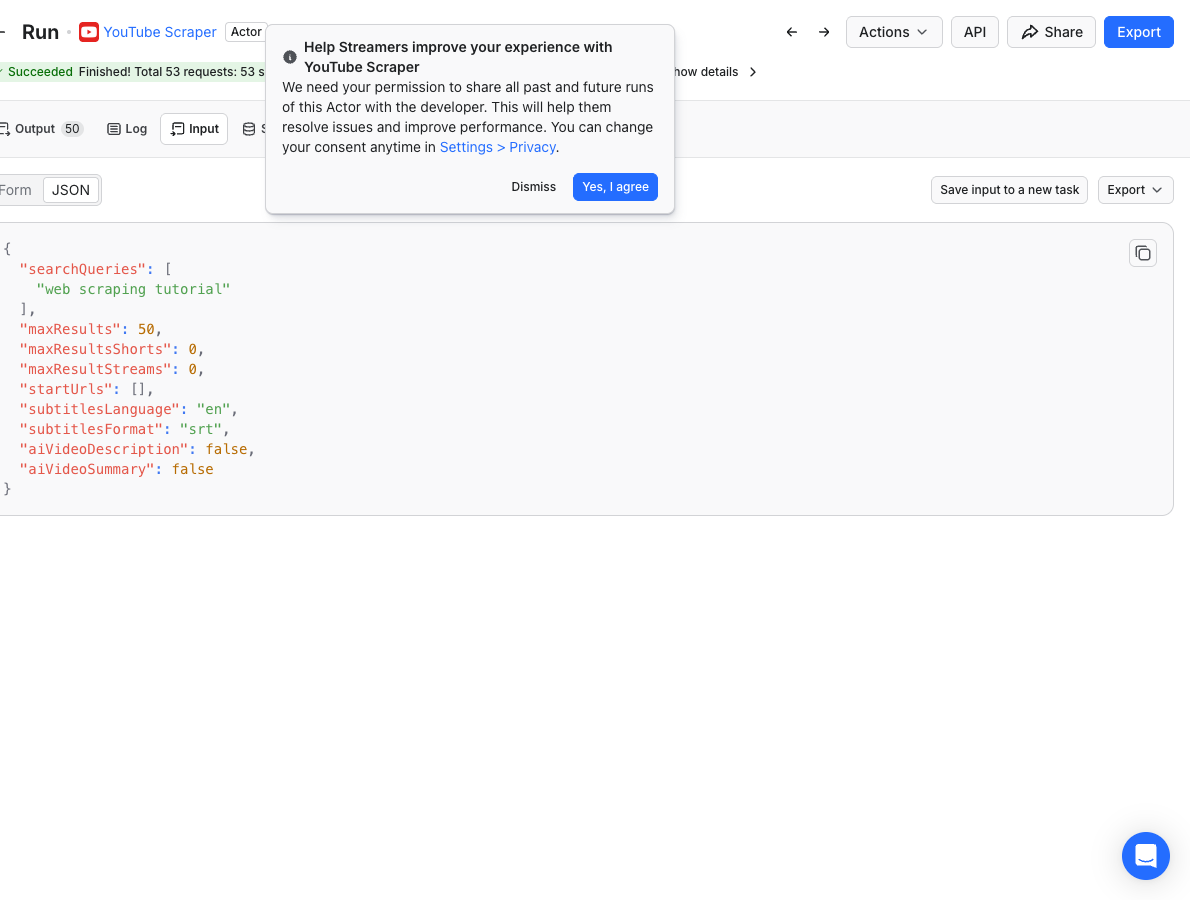
- 3
运行、导出,进选题库
点 Start。我们实测按关键词抓 50 条用时 64 秒、扣费 $0.196。导出后经典分析:
viewCount / numberOfSubscribers比值找"以小博大"的爆款选题、按date看题材热度周期、用text描述里的外链摸竞品变现方式。Apify 控制台实拍 · 中文标注 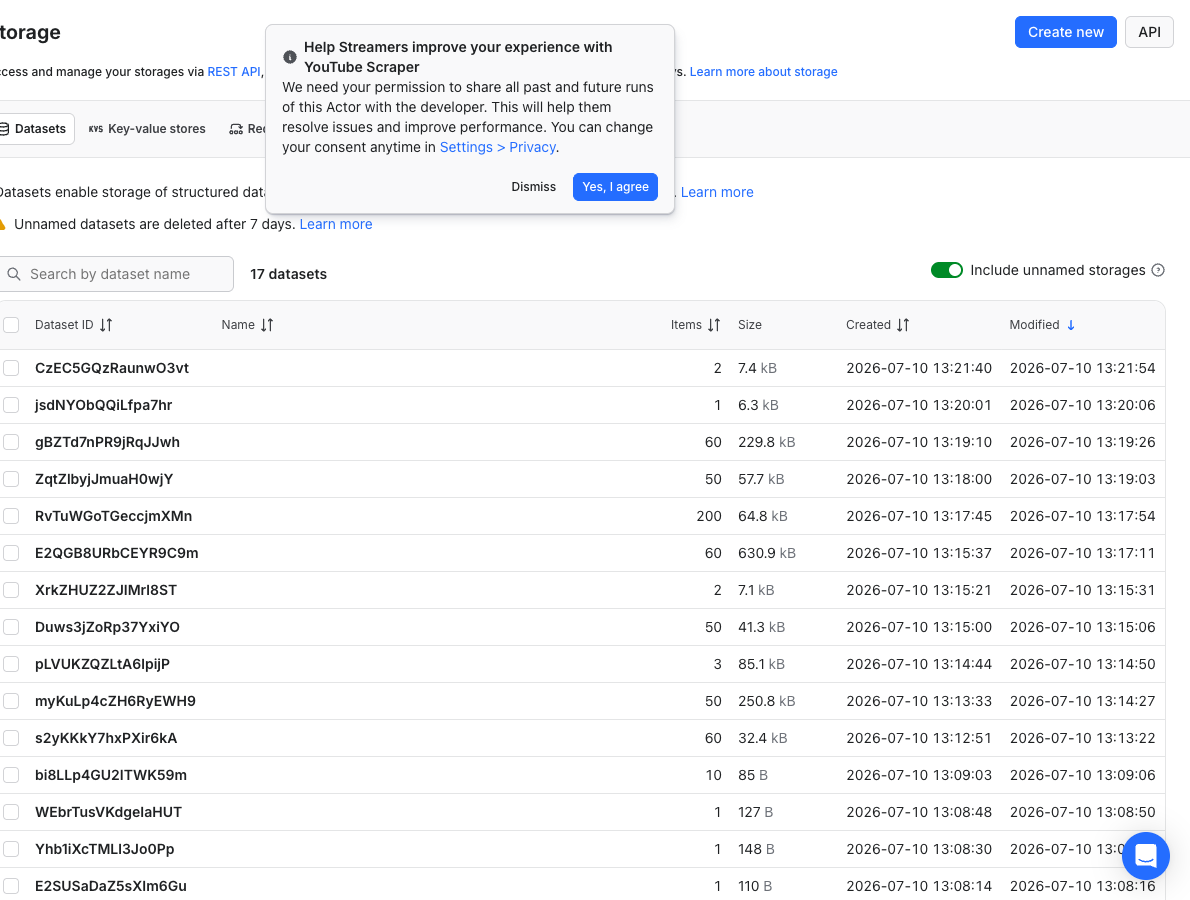


让它每天自己跑:定时采集与监控
频道级竞品监控:把 5–10 个对标频道的链接做成 Schedule 每周跑(配 date-filter 只抓新视频),推到表格后自动累积成"竞品发布节奏 + 爆款率"数据库——这是 YouTube 运营团队最常见的复购用法,也最能摊薄成本。
先读再跑:限制与合规
- 抓取公开视频页数据,免登录;会员专属内容、未列出视频拿不到。
- 字幕依赖视频本身是否有字幕轨(自动字幕质量看语言)。
- 播放量等数字是运行时刻快照,与创作者后台的实时数有分钟级出入属正常。
- 批量使用字幕/描述文本注意版权与引用规范。
别的选择也摆上来:同类 Actor 横评
| Actor / 工具 | 使用人数 | 价格 | 一句话判定 |
|---|---|---|---|
| YouTube Scraper(streamers)本页主推 streamers/youtube-scraper | 91,841 | $0.004/条 | 字段最全(订阅数/字幕/描述),首发清单最高评分——本页主推 |
| YouTube Transcript Scraper pintostudio/youtube-transcript-scraper | — | $0.01/条 | 只要字幕文本(喂 AI/做摘要)时更直接 |
| yt-dlp(开源命令行) | — | 免费 | 下载视频文件它是王者;但做批量"数据分析"要自己搭环境+解析+防限流,非开发者别碰 |
上手前最后几个问题
能抓评论内容吗?
本 Actor 返回评论数(commentsCount);要评论正文用专门的 YouTube Comments Scraper(Store 搜索即有,按条计费)。选题研究通常先看数据面,确认选题再抓评论深挖。
能抓 Shorts 吗?
可以,搜索结果和频道页里的 Shorts 会正常返回(type 字段区分),maxResultsShorts 参数可单独控制数量。
字幕是所有视频都有吗?
取决于视频本身:有人工字幕返回人工轨,只有自动字幕就返回自动轨(英文质量好,中文一般),完全没有则为空。批量抓字幕前先小样验证语言质量。
$5 免费额度够做什么?
约 1,250 条。一个赛道的选题普查(3 个关键词 × 100 条 + 5 个竞品频道 × 100 条)都在免费范围内;我们 50 条实测花 $0.196。
样本、扣费凭证、Run ID 你都看过了,轮到你自己的数据。
注册即送 $5/月额度,不绑卡,跑完再决定要不要付费。
免费跑我自己的第一批 →本页含推广链接;价格与目录数据采集于 2026-08-12,以 Apify 实时页面为准。